
In this article, I will teach everyone everything you should know about advertising with Facebook Ads.
Facebook is a platform with more than 2 trillion users worldwide, and you can advertise your products and services to all 2 trillion of those users as well.
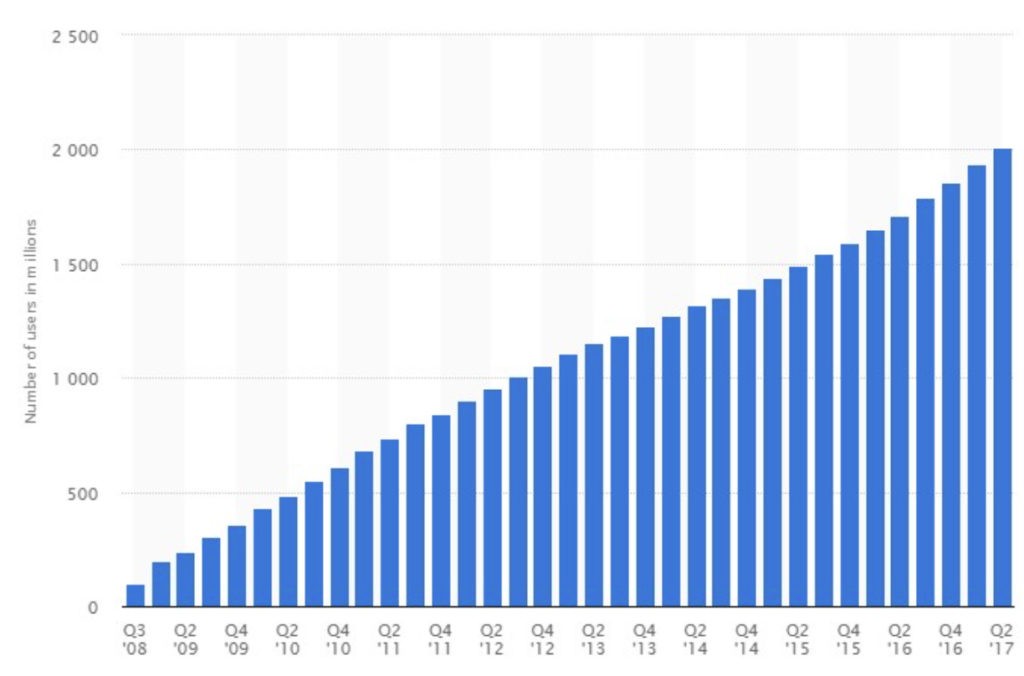
What makes it interesting is that we can target by location, gender, age, interests, and behavior, and we can create attractive ads to show customers, whether in the form of images, albums, videos, and more.https://www.statista.com/statistics/264810/number-of-monthly-active-facebook-users-worldwide/
What makes this interesting is that we can target by location, gender, age, interests, and behavior, and we can create attractive ads to show customers, whether as images, albums, videos, and more.
How Facebook Ads work
We pay for advertising when people see our ad (CPM) on Facebook, which is the standard price set by Facebook. Choosing good ad creative can help people become more interested in our products or brand.
Getting started with Facebook Ads
If you have never advertised with Facebook Ads before, you need to set up your advertising account as follows.
Set up payment
Go to Ads Manager (www.facebook.com/ads/manager)
From the menu at the top, click Ads Manager again.

Then the payment settings menu will appear. Choose Billing & Payment Methods.

After that, you can set the payment method for your advertising.
There are two payment methods for ads: prepaid and postpaid.
Prepaid means paying in advance. For example, if you add 1,000 baht, you can use 1,000 baht worth of advertising.
Postpaid means paying afterward. In other words, Facebook gives us credit. If you pay on time and consistently, Facebook will gradually increase your credit limit, up to a maximum of 25,000 baht.
*Note: for company accounts, this depends on the credit of each advertising company.
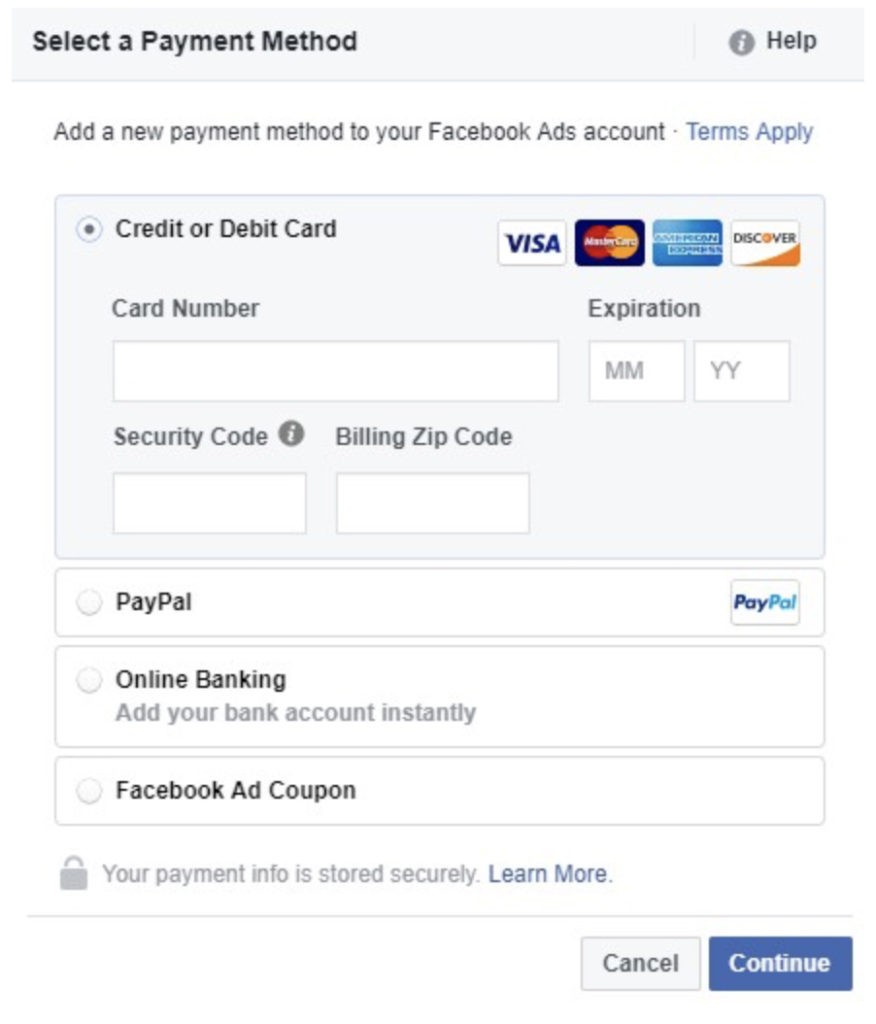
Facebook offers four payment channels:
Pay for advertising by credit card
Pay for advertising through PayPal
Pay for advertising by bank transfer
Pay using Facebook Coupon
Start advertising on Facebook Ads
In this section, you will learn how to create ads.
But first, you need to plan your campaign and decide whether it is for people to remember your brand (brand awareness) or to focus on selling your products (conversion).
Once you have decided, Facebook provides advertising objectives to support your campaign, whether for brand recall or sales, and these are divided into six objectives as shown below.

Brand awareness is a campaign designed to help people remember our brand or products.
Reach is a campaign designed to show our ad to as many people as possible.
Traffic is a campaign focused on getting people to click through to a website.
Engagement is a campaign designed to encourage people to comment, like, and share on Facebook.
App installs: if you have an application and want many people to download it, I recommend this type of campaign.
Video Views: if you have a great video or a video used to promote and sell products, this is the right objective.
Lead generation is a campaign focused on collecting customer names and details.
Conversions is a campaign focused on sales. If you want to sell products through a website, choose this one.
Product Catalog Sales: if you have many products, I recommend this objective. Facebook designed it for advertising all the product items you want to promote on Facebook.
Store Visit: if you have an offline store, this is the one to use.
Reach your audience
In the next step. You need to choose which country, province or district you want people to see your ads.
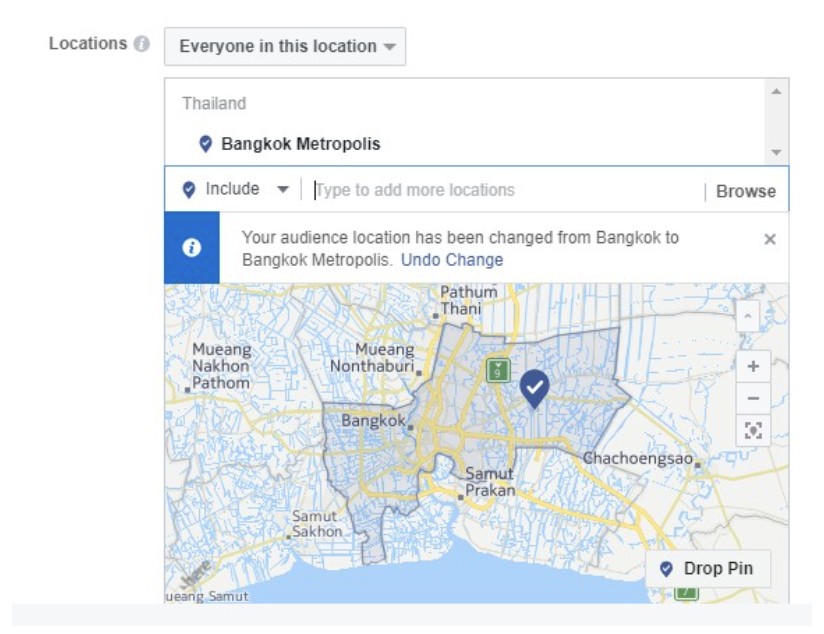
In addition, age, gender, and languages can be specified. Our customers also choose to use it, isn't it cool?
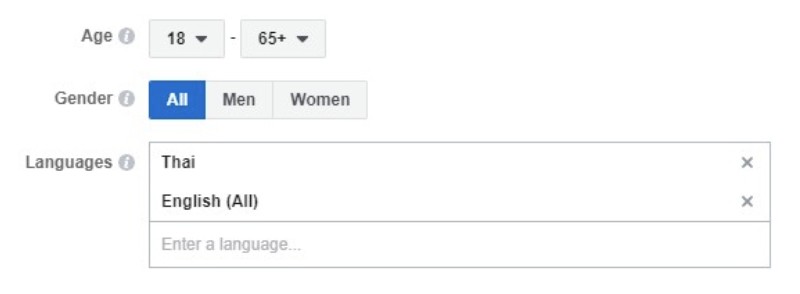
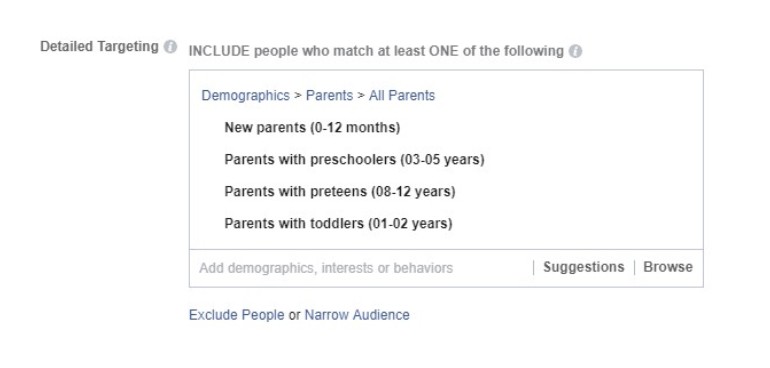
After that, I suggest that my friends start targeting the target group or customers to match our products more. The reason is very simple. Let's say your friends are children's products, and you want to show products only to mothers with children. It wouldn't be good if we showed our products to people who are not interested in our products.
Setting an advertising budget
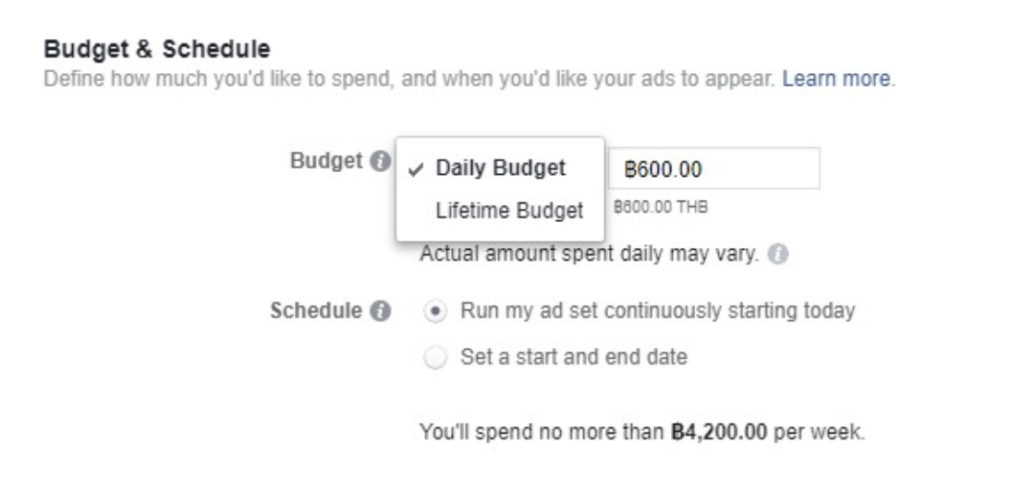
Facebook allows friends to set ad budgets. There are 2 types: Daily Budget and Lifttime Budget.
Daily Budget means that we want to pay for advertising by setting a daily budget. How much do we pay for advertising each day?
Lifetime Budget means that friends know the start and end dates of the campaign and the exact advertising budget of the campaign. Set it up like this, there is no mistake.
Choose the right Creative format
The final part, but the most important one, is Ad Creative. You need to choose which creative format you want to use, such as single image, video, multiple images, and so on.
The image size recommended by Facebook is 1,200 x 628 pixels, which is the size most likely to attract customer interest when they see your ad creative.
In this article, I will teach everyone everything you should know about advertising with Facebook Ads.
Facebook is a platform with more than 2 trillion users worldwide, and you can advertise your products and services to all 2 trillion of those users as well.
What makes it interesting is that we can target by location, gender, age, interests, and behavior, and we can create attractive ads to show customers, whether in the form of images, albums, videos, and more.https://www.statista.com/statistics/264810/number-of-monthly-active-facebook-users-worldwide/
What makes this interesting is that we can target by location, gender, age, interests, and behavior, and we can create attractive ads to show customers, whether as images, albums, videos, and more.
How Facebook Ads work
We pay for advertising when people see our ad (CPM) on Facebook, which is the standard price set by Facebook. Choosing good ad creative can help people become more interested in our products or brand.
Getting started with Facebook Ads
If you have never advertised with Facebook Ads before, you need to set up your advertising account as follows.
Set up payment
Go to Ads Manager (www.facebook.com/ads/manager)
From the menu at the top, click Ads Manager again.
Then the payment settings menu will appear. Choose Billing & Payment Methods.
After that, you can set the payment method for your advertising.
There are two payment methods for ads: prepaid and postpaid.
Prepaid means paying in advance. For example, if you add 1,000 baht, you can use 1,000 baht worth of advertising.
Postpaid means paying afterward. In other words, Facebook gives us credit. If you pay on time and consistently, Facebook will gradually increase your credit limit, up to a maximum of 25,000 baht.
*Note: for company accounts, this depends on the credit of each advertising company.
Facebook offers four payment channels:
Pay for advertising by credit card
Pay for advertising through PayPal
Pay for advertising by bank transfer
Pay using Facebook Coupon
Start advertising on Facebook Ads
In this section, you will learn how to create ads.
But first, you need to plan your campaign and decide whether it is for people to remember your brand (brand awareness) or to focus on selling your products (conversion).
Once you have decided, Facebook provides advertising objectives to support your campaign, whether for brand recall or sales, and these are divided into six objectives as shown below.
Brand awareness is a campaign designed to help people remember our brand or products.
Reach is a campaign designed to show our ad to as many people as possible.
Traffic is a campaign focused on getting people to click through to a website.
Engagement is a campaign designed to encourage people to comment, like, and share on Facebook.
App installs: if you have an application and want many people to download it, I recommend this type of campaign.
Video Views: if you have a great video or a video used to promote and sell products, this is the right objective.
Lead generation is a campaign focused on collecting customer names and details.
Conversions is a campaign focused on sales. If you want to sell products through a website, choose this one.
Product Catalog Sales: if you have many products, I recommend this objective. Facebook designed it for advertising all the product items you want to promote on Facebook.
Store Visit: if you have an offline store, this is the one to use.
Reach your audience
In the next step. You need to choose which country, province or district you want people to see your ads.
In addition, age, gender, and languages can be specified. Our customers also choose to use it, isn't it cool?
After that, I suggest that my friends start targeting the target group or customers to match our products more. The reason is very simple. Let's say your friends are children's products, and you want to show products only to mothers with children. It wouldn't be good if we showed our products to people who are not interested in our products.
Setting an advertising budget
Facebook allows friends to set ad budgets. There are 2 types: Daily Budget and Lifttime Budget.
Daily Budget means that we want to pay for advertising by setting a daily budget. How much do we pay for advertising each day?
Lifetime Budget means that friends know the start and end dates of the campaign and the exact advertising budget of the campaign. Set it up like this, there is no mistake.
Choose the right Creative format
The final part, but the most important one, is Ad Creative. You need to choose which creative format you want to use, such as single image, video, multiple images, and so on.
The image size recommended by Facebook is 1,200 x 628 pixels, which is the size most likely to attract customer interest when they see your ad creative.
In this article, I will teach everyone everything you should know about advertising with Facebook Ads.
Facebook is a platform with more than 2 trillion users worldwide, and you can advertise your products and services to all 2 trillion of those users as well.
What makes it interesting is that we can target by location, gender, age, interests, and behavior, and we can create attractive ads to show customers, whether in the form of images, albums, videos, and more.https://www.statista.com/statistics/264810/number-of-monthly-active-facebook-users-worldwide/
What makes this interesting is that we can target by location, gender, age, interests, and behavior, and we can create attractive ads to show customers, whether as images, albums, videos, and more.
How Facebook Ads work
We pay for advertising when people see our ad (CPM) on Facebook, which is the standard price set by Facebook. Choosing good ad creative can help people become more interested in our products or brand.
Getting started with Facebook Ads
If you have never advertised with Facebook Ads before, you need to set up your advertising account as follows.
Set up payment
Go to Ads Manager (www.facebook.com/ads/manager)
From the menu at the top, click Ads Manager again.
Then the payment settings menu will appear. Choose Billing & Payment Methods.
After that, you can set the payment method for your advertising.
There are two payment methods for ads: prepaid and postpaid.
Prepaid means paying in advance. For example, if you add 1,000 baht, you can use 1,000 baht worth of advertising.
Postpaid means paying afterward. In other words, Facebook gives us credit. If you pay on time and consistently, Facebook will gradually increase your credit limit, up to a maximum of 25,000 baht.
*Note: for company accounts, this depends on the credit of each advertising company.
Facebook offers four payment channels:
Pay for advertising by credit card
Pay for advertising through PayPal
Pay for advertising by bank transfer
Pay using Facebook Coupon
Start advertising on Facebook Ads
In this section, you will learn how to create ads.
But first, you need to plan your campaign and decide whether it is for people to remember your brand (brand awareness) or to focus on selling your products (conversion).
Once you have decided, Facebook provides advertising objectives to support your campaign, whether for brand recall or sales, and these are divided into six objectives as shown below.
Brand awareness is a campaign designed to help people remember our brand or products.
Reach is a campaign designed to show our ad to as many people as possible.
Traffic is a campaign focused on getting people to click through to a website.
Engagement is a campaign designed to encourage people to comment, like, and share on Facebook.
App installs: if you have an application and want many people to download it, I recommend this type of campaign.
Video Views: if you have a great video or a video used to promote and sell products, this is the right objective.
Lead generation is a campaign focused on collecting customer names and details.
Conversions is a campaign focused on sales. If you want to sell products through a website, choose this one.
Product Catalog Sales: if you have many products, I recommend this objective. Facebook designed it for advertising all the product items you want to promote on Facebook.
Store Visit: if you have an offline store, this is the one to use.
Reach your audience
In the next step. You need to choose which country, province or district you want people to see your ads.
In addition, age, gender, and languages can be specified. Our customers also choose to use it, isn't it cool?
After that, I suggest that my friends start targeting the target group or customers to match our products more. The reason is very simple. Let's say your friends are children's products, and you want to show products only to mothers with children. It wouldn't be good if we showed our products to people who are not interested in our products.
Setting an advertising budget
Facebook allows friends to set ad budgets. There are 2 types: Daily Budget and Lifttime Budget.
Daily Budget means that we want to pay for advertising by setting a daily budget. How much do we pay for advertising each day?
Lifetime Budget means that friends know the start and end dates of the campaign and the exact advertising budget of the campaign. Set it up like this, there is no mistake.
Choose the right Creative format
The final part, but the most important one, is Ad Creative. You need to choose which creative format you want to use, such as single image, video, multiple images, and so on.
The image size recommended by Facebook is 1,200 x 628 pixels, which is the size most likely to attract customer interest when they see your ad creative.
[
Connect
]
How can we help you innovate?
Drop us a line.
Get in
touch
[
Connect
]
How can we help you innovate?
Drop us a line.
Get in
touch
[
Connect
]
How can we help you innovate?
Drop us a line.
Get in
touch
Related
Movements.
{
News
}
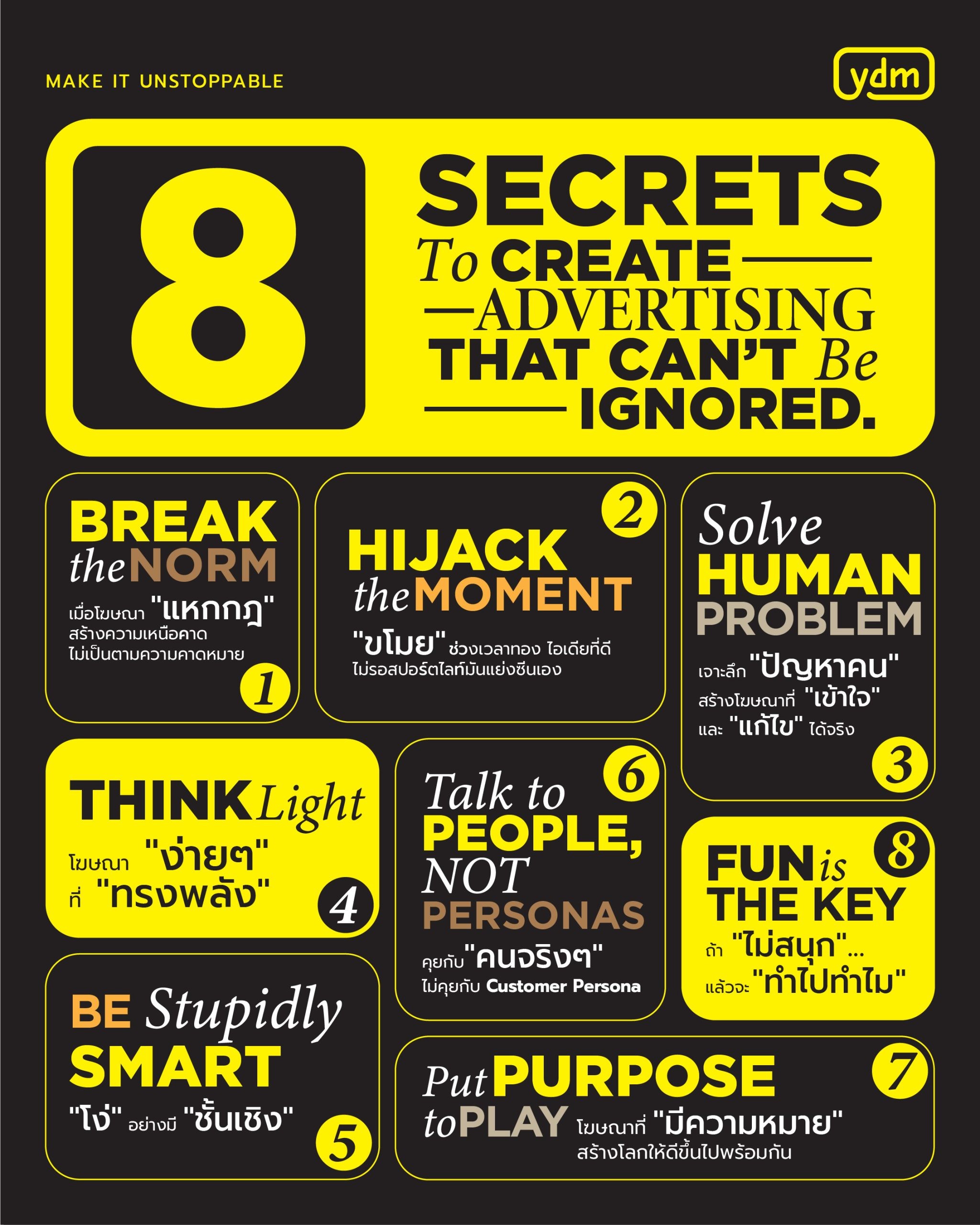
Unlocking the Secret: 8 Keys to Creating Impactful Advertising Campaigns
Jan 15, 2025
{
News
}
Unlocking the Secret: 8 Keys to Creating Impactful Advertising Campaigns
Jan 15, 2025

{
News
}
YDM Makes Waves with Double Wins at Meta Awards, Reveals Key Drivers Behind Its Success
Dec 24, 2024
{
News
}
YDM Makes Waves with Double Wins at Meta Awards, Reveals Key Drivers Behind Its Success
Dec 24, 2024
{
News
}
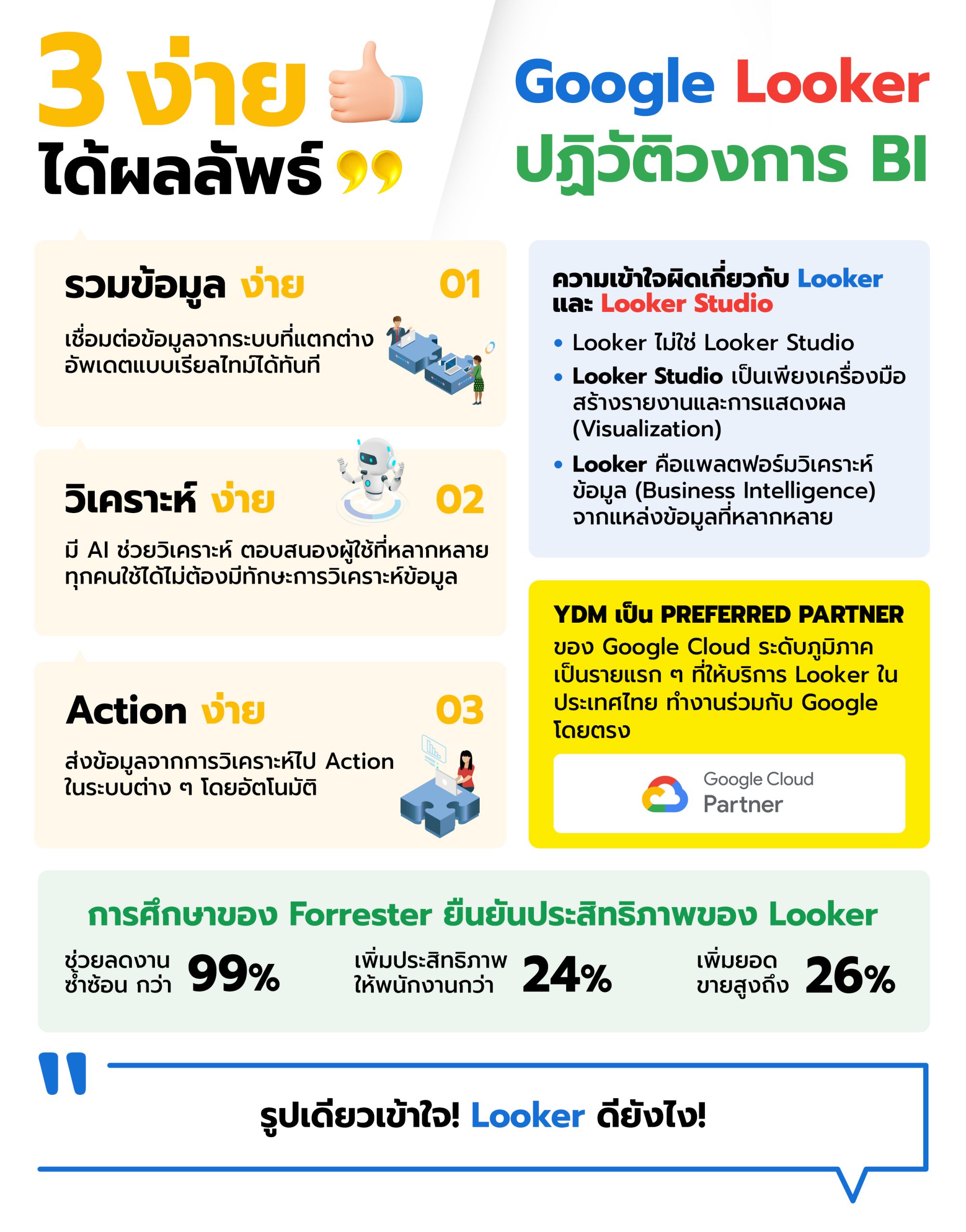
YDM Transforms the BI Landscape with Looker: Making Data “Simple” and More Effective (Looker is not Looker Studio)
Dec 17, 2024
{
News
}
YDM Transforms the BI Landscape with Looker: Making Data “Simple” and More Effective (Looker is not Looker Studio)
Dec 17, 2024
{
News
}
Unlocking the Secret: 8 Keys to Creating Impactful Advertising Campaigns
Jan 15, 2025
{
News
}
YDM Makes Waves with Double Wins at Meta Awards, Reveals Key Drivers Behind Its Success
Dec 24, 2024
{
News
}
YDM Transforms the BI Landscape with Looker: Making Data “Simple” and More Effective (Looker is not Looker Studio)
Dec 17, 2024
{
News
}
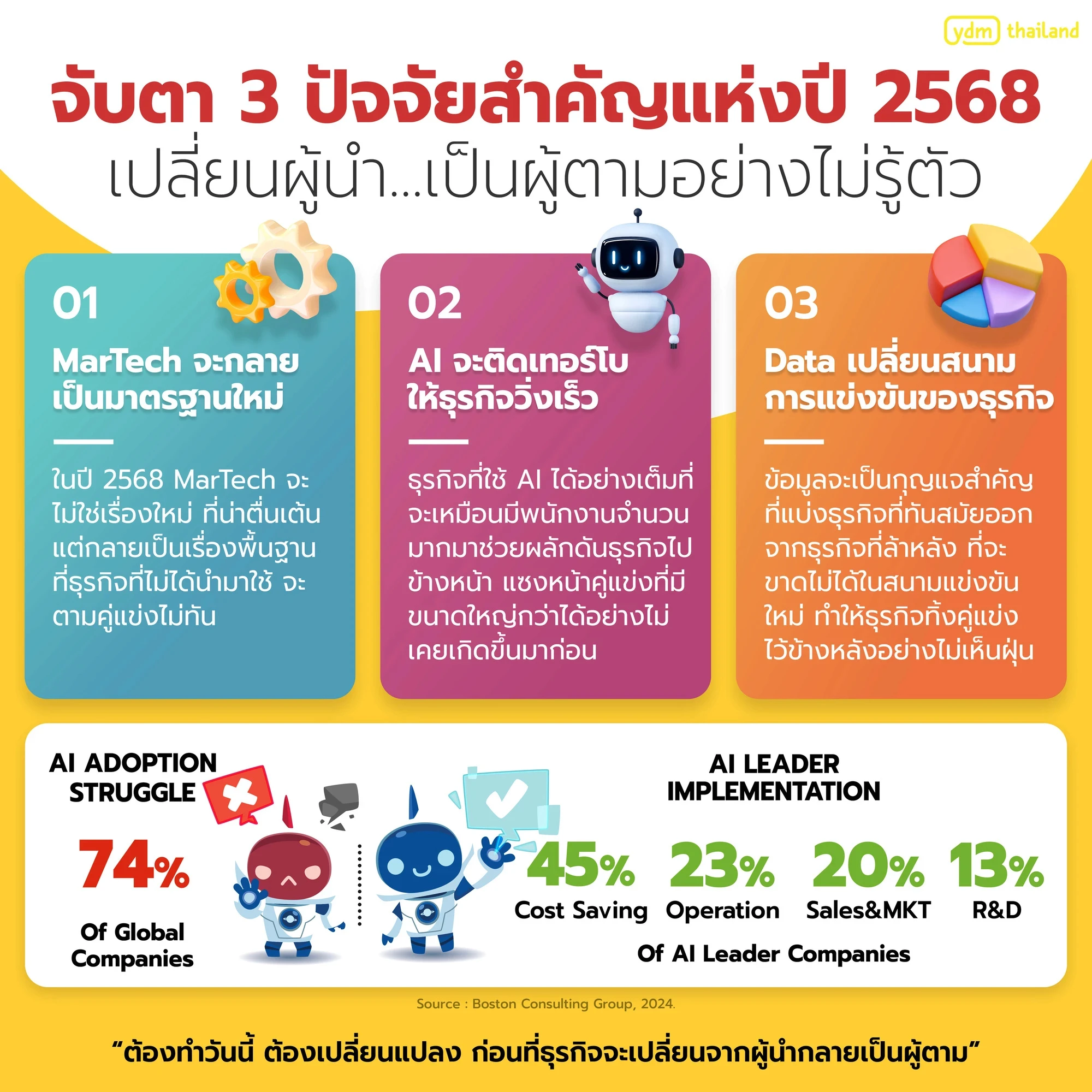
Watch Out: 3 Key Factors in 2025 That Could Turn Leaders into Followers Without Realizing It
Dec 3, 2024
{
News
}
Unlocking the Secret: 8 Keys to Creating Impactful Advertising Campaigns
Jan 15, 2025
{
News
}
YDM Makes Waves with Double Wins at Meta Awards, Reveals Key Drivers Behind Its Success
Dec 24, 2024
{
News
}
YDM Transforms the BI Landscape with Looker: Making Data “Simple” and More Effective (Looker is not Looker Studio)
Dec 17, 2024
{
News
}
Watch Out: 3 Key Factors in 2025 That Could Turn Leaders into Followers Without Realizing It
Dec 3, 2024